Easy shop setup
with just one phone
Customers scan the QR code at the table and order for themselves
RetailOne Order is a mobile ordering system for restaurants and cafes. No app to download, staff see orders instantly, and you take payment and issue receipts in one place.
Just send us your menu and photos. We set up the rest.
Take the hassle out of running the shop
Wrong or missed orders
Customers choose items and options and type their own notes, such as “not spicy”. The kitchen sees exactly what was ordered, word for word.
Customers waiting for staff
Scan and order straight away, with no waiting for a menu or for someone to take the order. Staff can look after more tables.
Closing each bill by hand
Take payment, issue receipts and see today’s sales in one system, with no copying between several places.
Everything the shop uses every day, in an easy system
Designed so customers can use it right away without being taught, and staff can use it on a phone, tablet or computer through a web browser.
Scan a QR code, no app to download
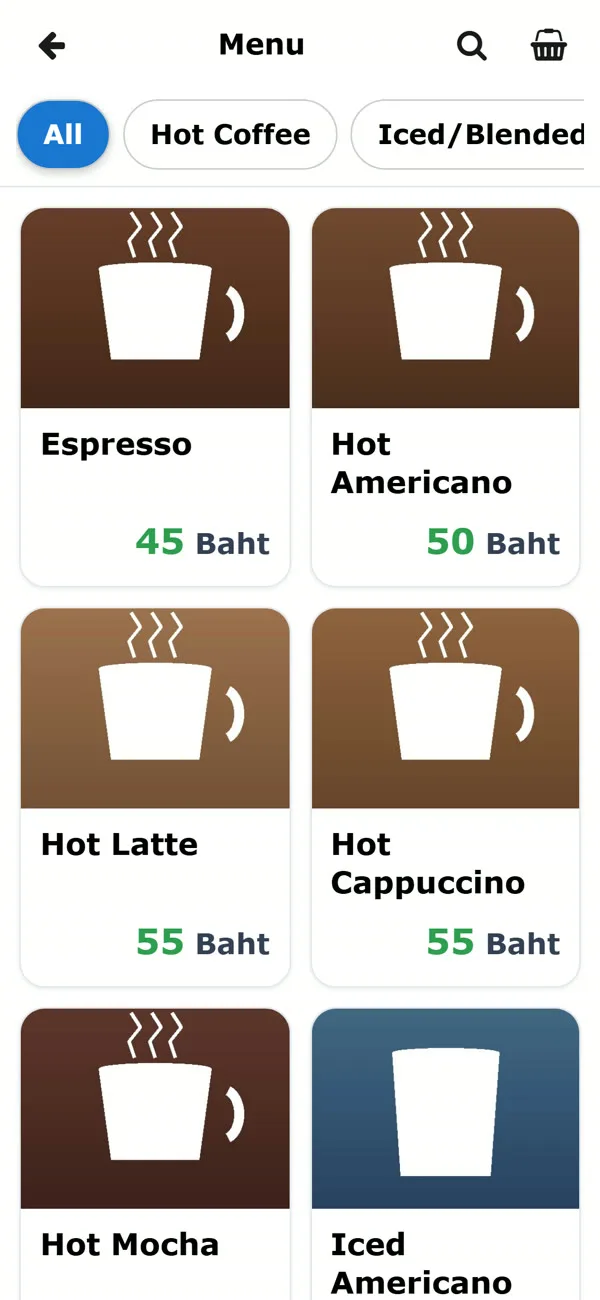
Customers open the menu in their phone browser, with food photos and clear prices.
Options and notes
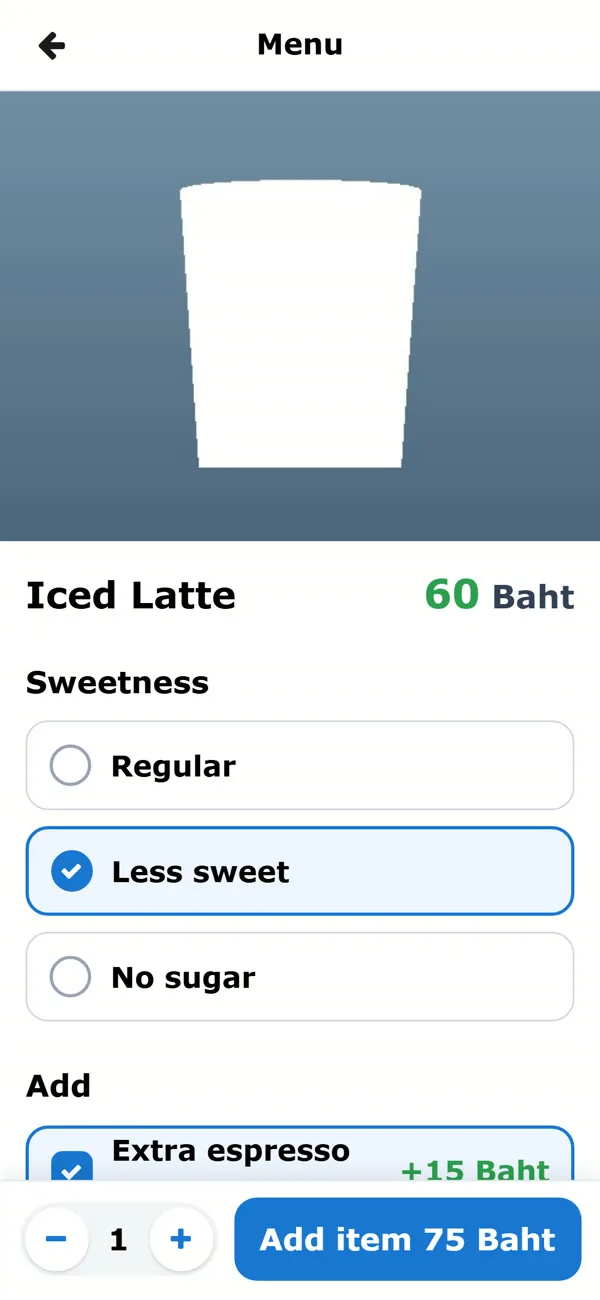
Choose pork, chicken, a fried egg or an extra-large size, and the added price is calculated automatically. Notes are supported.
Several people can order together
Friends at the same table scan and share one basket, choosing together.
Staff see it instantly
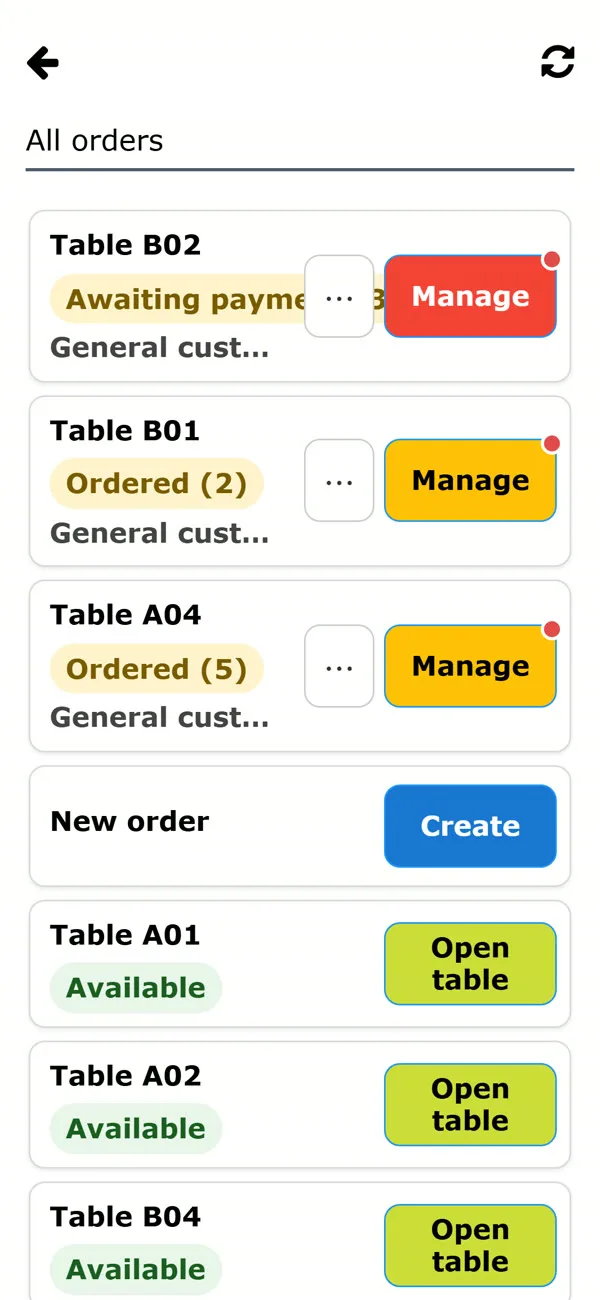
New orders appear on screen with an alert sound, and every table’s status is on one page.
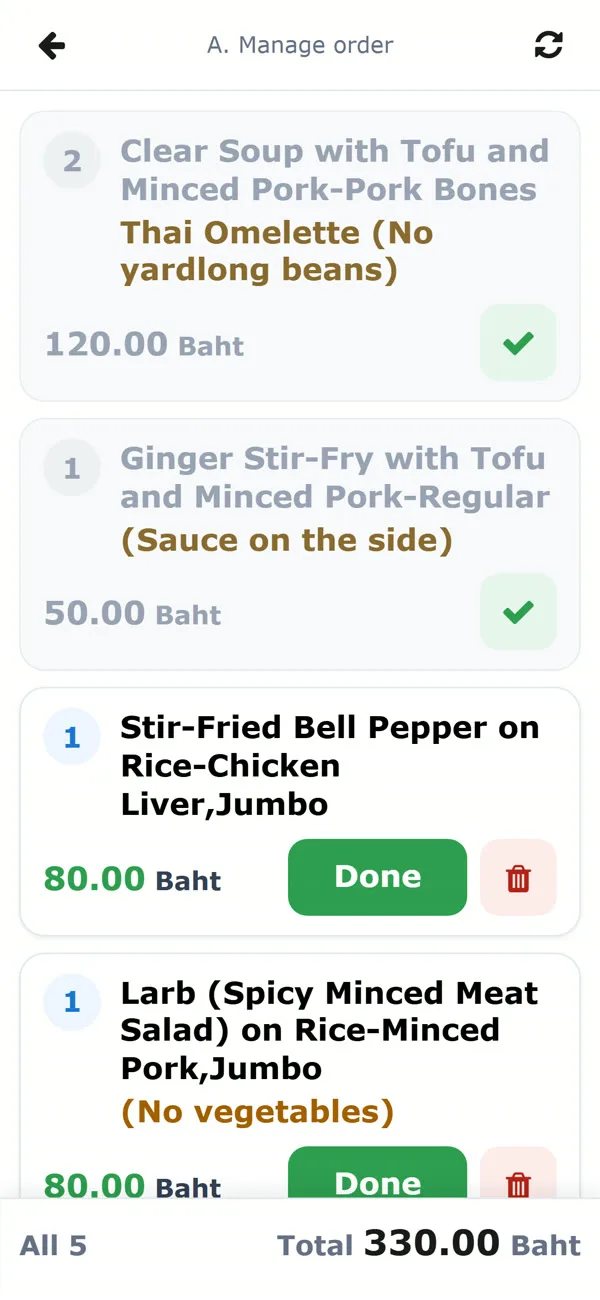
Done, move table, cancel
Tap “Done” for each item, move a table, or mark an order as takeaway.
Payment and receipts
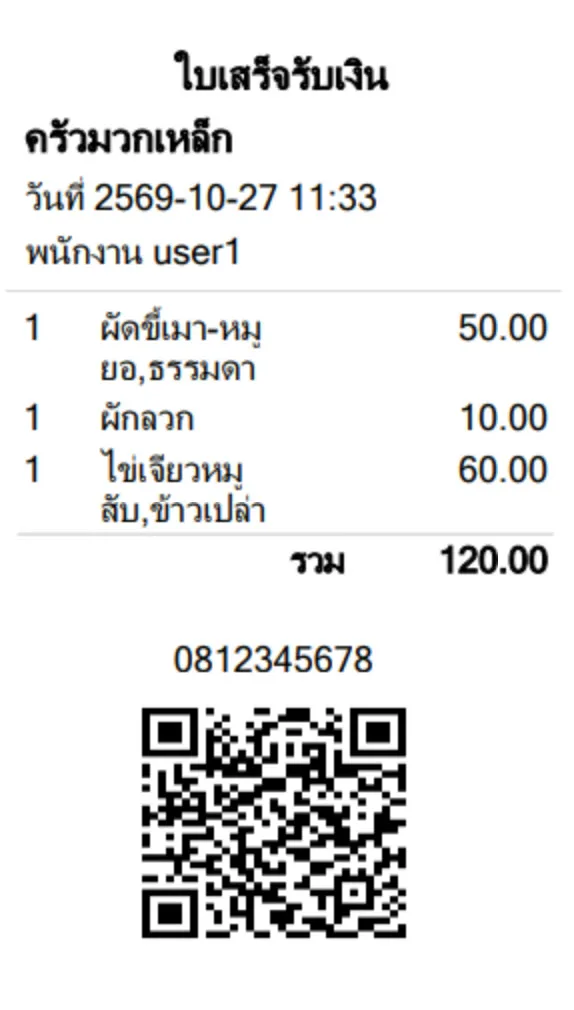
Staff tap to receive payment and the system issues the receipt at once, with a PromptPay QR for the exact bill amount, so there is no typing in the total. Show it on screen for the customer to scan. No printer needed.
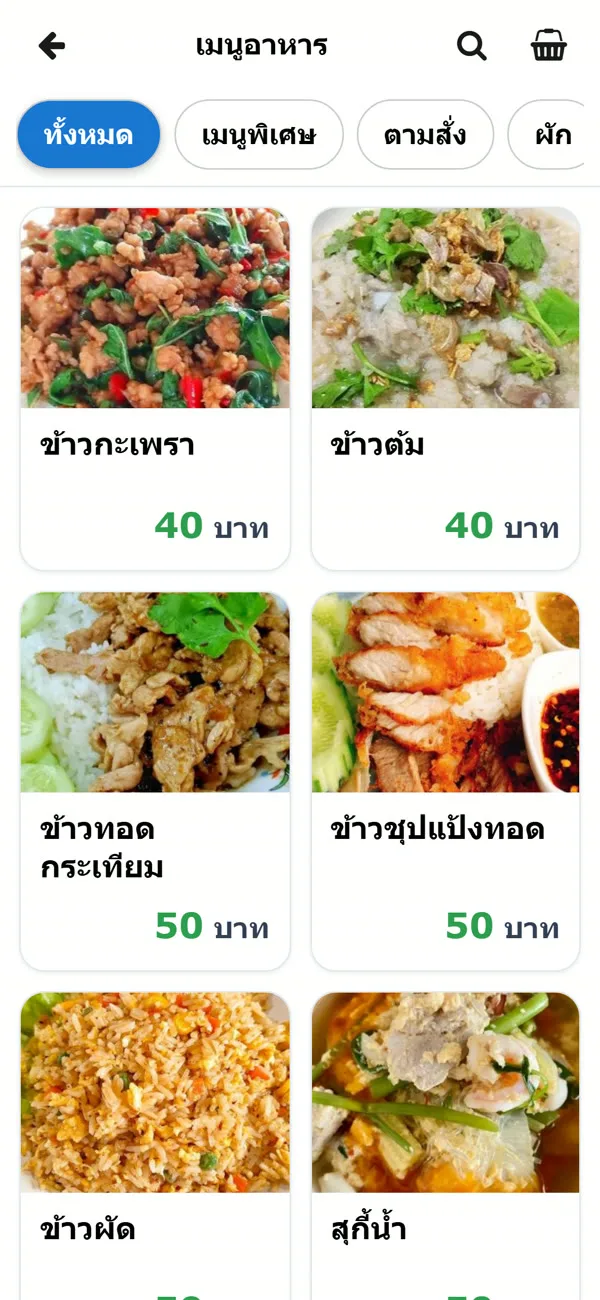
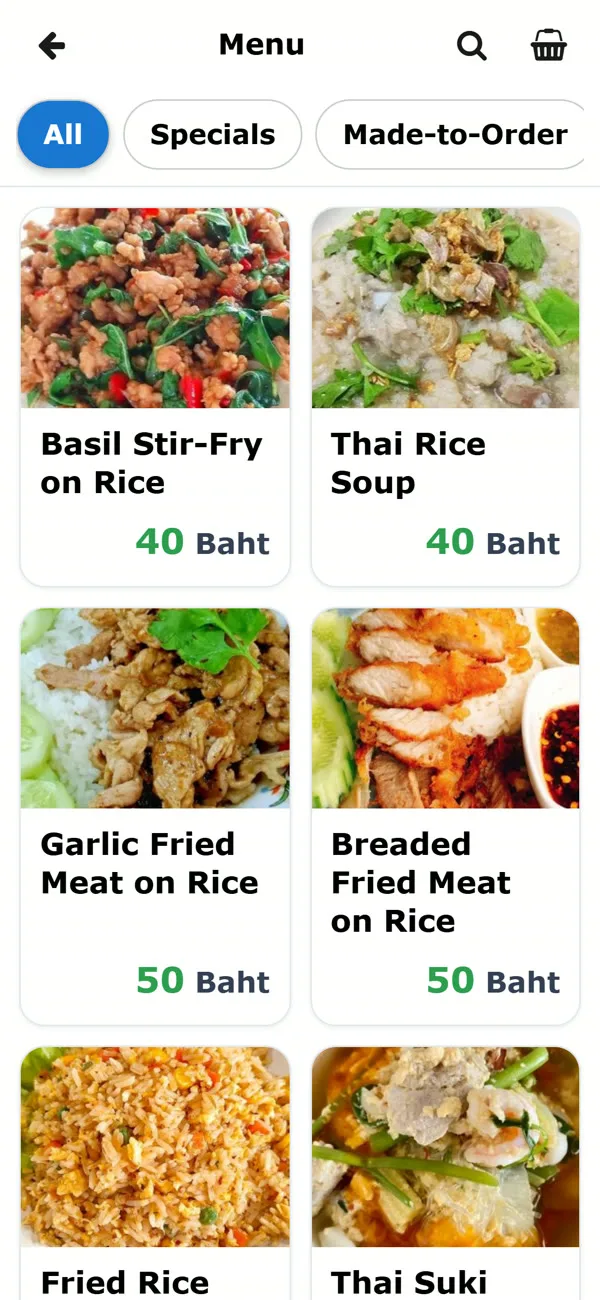
Menu in 3 languages
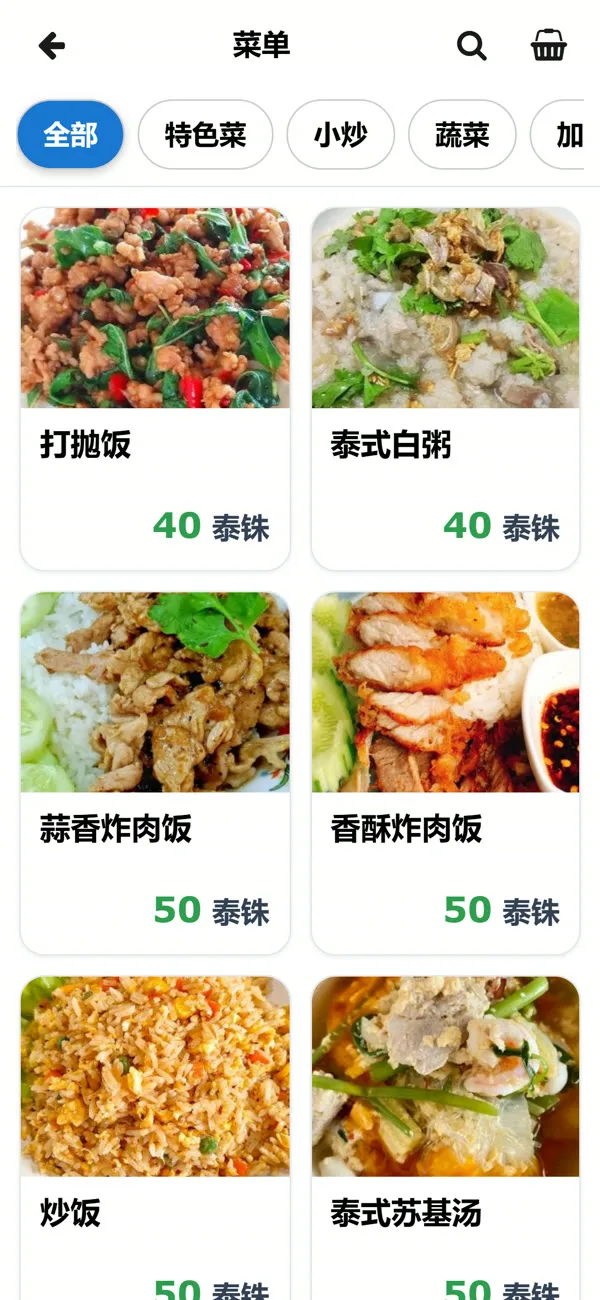
Thai, English and Chinese, so foreign customers can order themselves without an interpreter.
Today’s sales and multiple branches
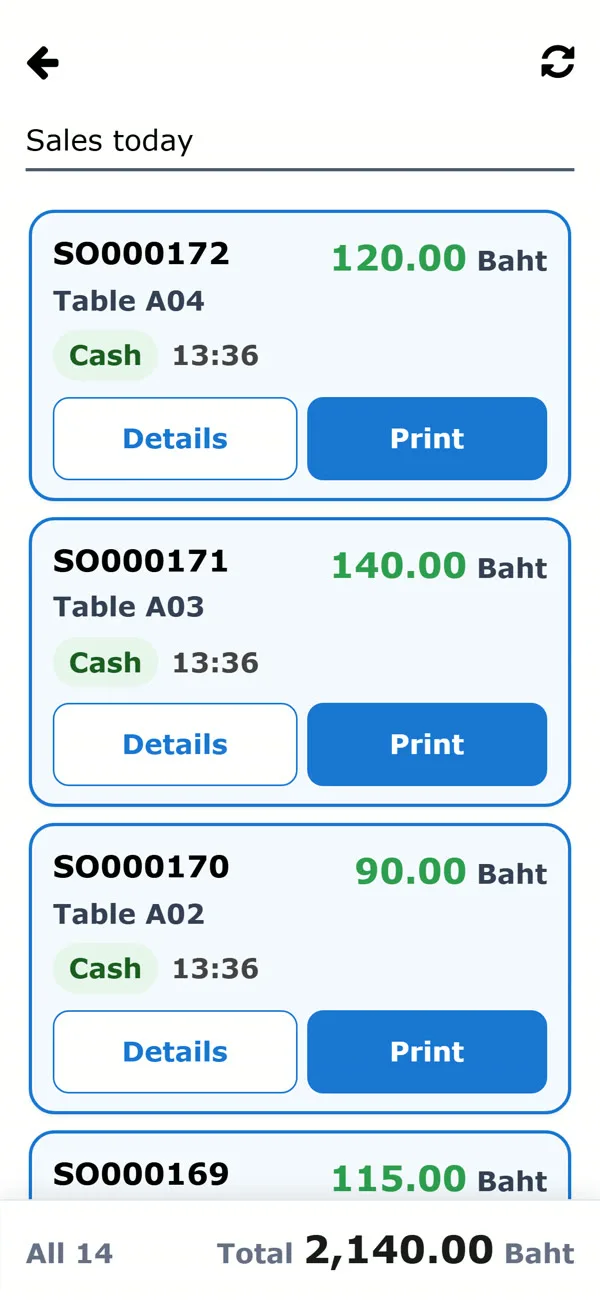
See today’s bills and totals, reprint receipts, and run several shops and branches in one system.
3 steps, from ordering to payment
Scan the QR code and choose food
Scan the QR code on the table, choose food and options, add notes, then confirm.
See the order instantly
The order pops up with an alert sound. Tap “Done” for each item when served.
Take payment and issue the receipt
Tap pay. The system issues a receipt with a PromptPay QR and adds it to today’s sales.
See it in action
A short video of RetailOne Order at work
Real working screens, with sample data
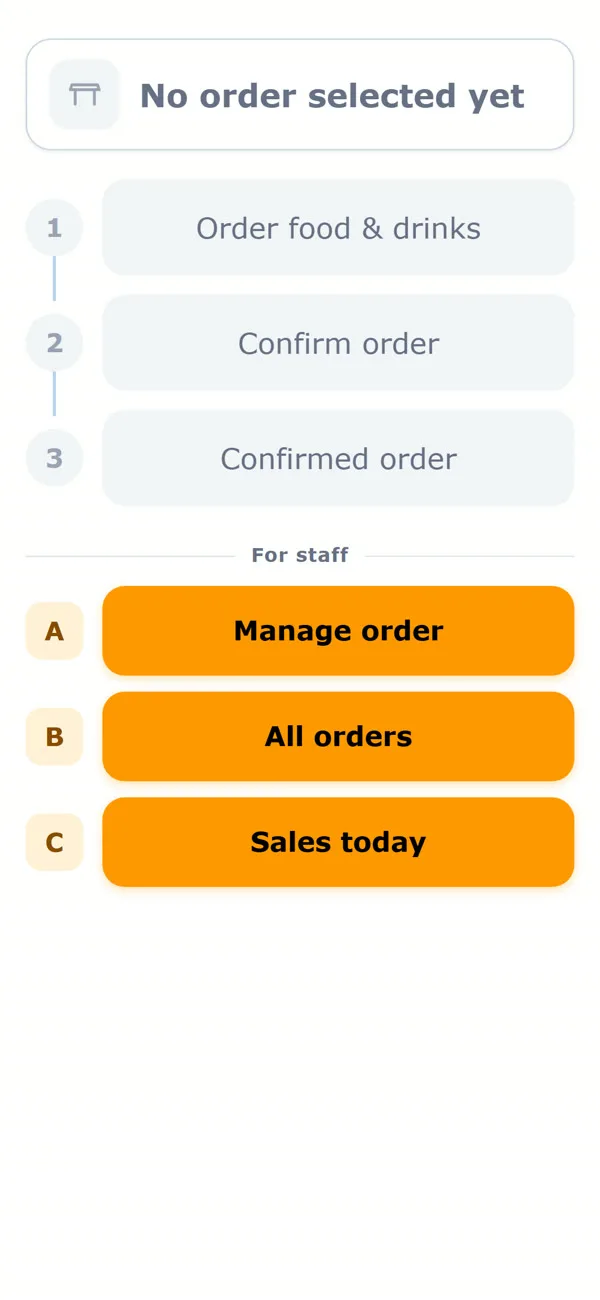
Every image is a real screen of the system. Tap an image to see it larger.
Customer sideScan the QR code and order on your own
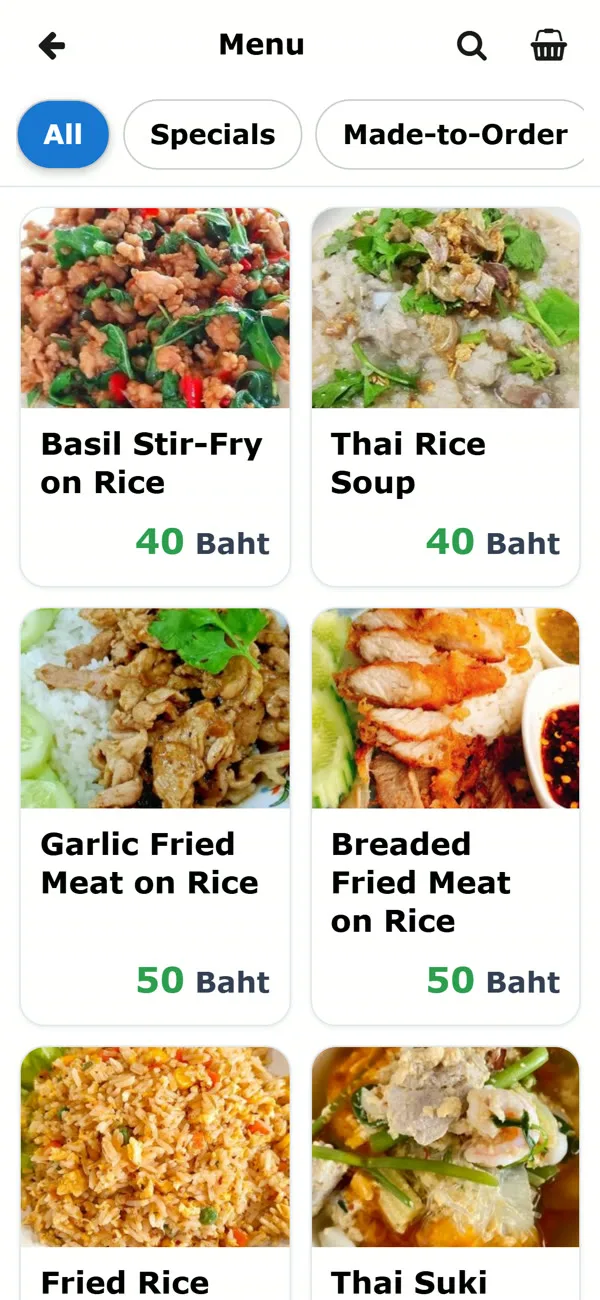
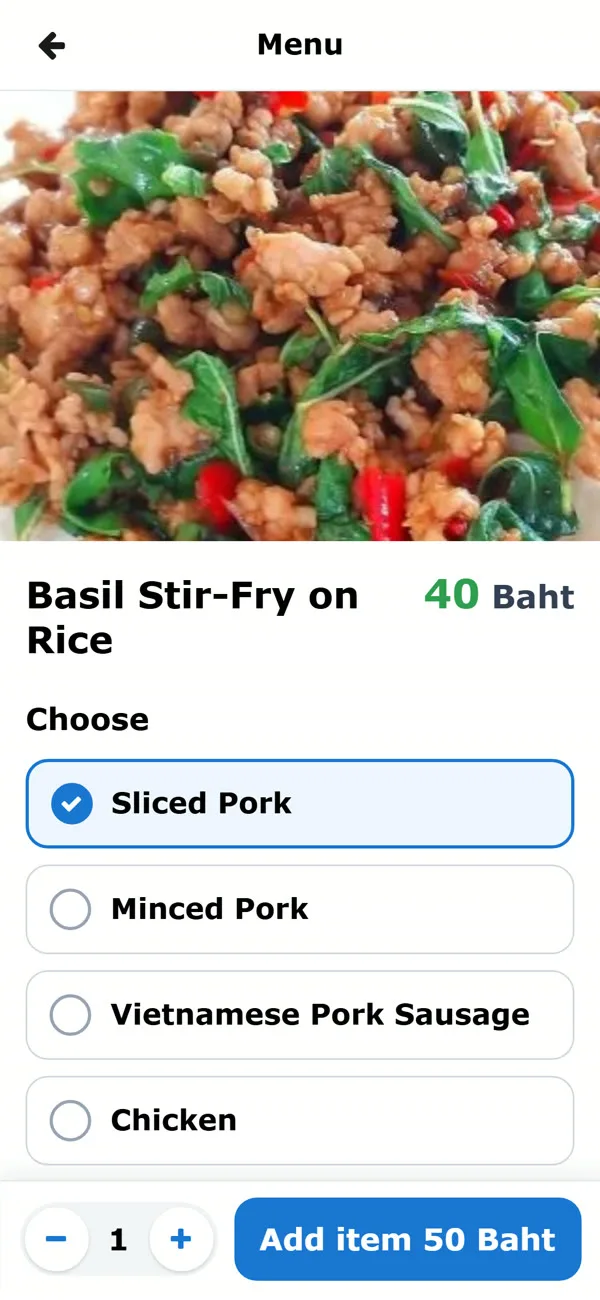
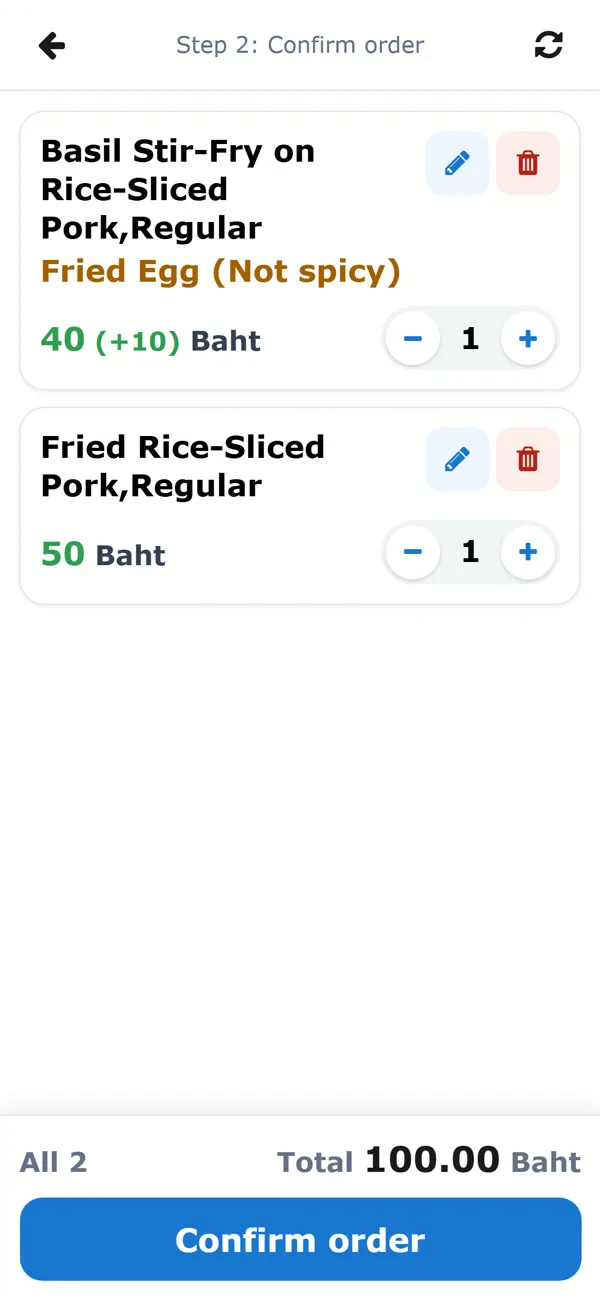
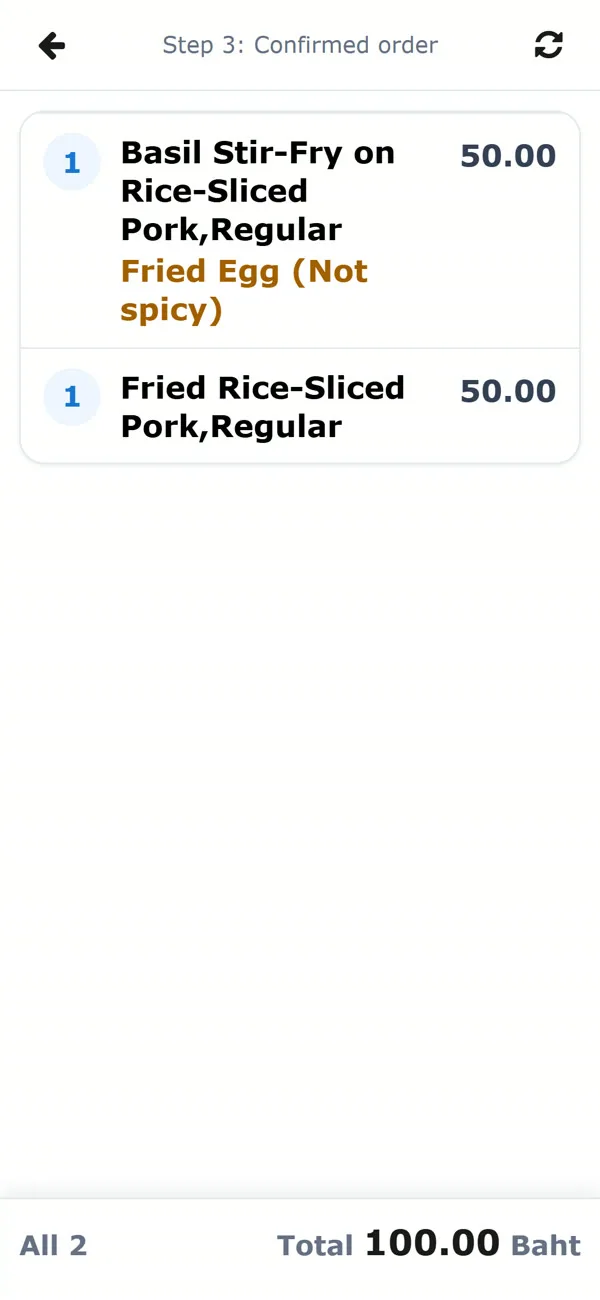
Staff sideSee orders instantly, manage them and take payment in one place
Menu in 3 languagesThai, English or Chinese, chosen by the customer
Take orders without a table
Cafes and counter-service shops can create orders without a table. The system gives a queue number automatically and supports takeaway.
- Set up drink menus with options such as sweetness level, cup size and extra shots.
- Orders appear as queue numbers (Q#) for staff to call.
- A multilingual menu suits shops with foreign customers.
Receipts with a PromptPay QR for the bill amount
Staff tap to take payment and the system issues the receipt immediately, with a QR to scan and pay the exact amount of that bill, so there is no typing the number. Show it on screen for the customer to scan, with no need to print or own a printer.
- Show the QR on screen for the customer to scan, or print an 80 mm roll paper receipt through the browser if you prefer
- The PromptPay QR is generated from each bill’s total
- See today’s sales and totals, and reprint receipts
Send us your menu and photos, and we handle the rest
- 1Install and open your shop in the systemWe set up the shop, branches and staff accounts, ready to use.
- 2We set up your starting menuFrom the food list and photos you send: categories, prices and extra options.
- 3We make the table QR codesPrint and stick them on the tables. Customers scan and order right away.
- 4Simple guides and videosAnyone can follow them, and you can watch again when a new staff member joins.
- 5Support at the startWe answer questions through chat during the first period of use.
Before you decide
Do customers need to download an app?
No. Customers scan the QR code and open the menu in their phone browser right away.
What devices do staff need?
A phone, tablet or computer with a web browser and an internet connection.
Can customers pay through the system?
Customers order on their phone, and payment is made with staff. The system issues a receipt with a PromptPay QR for the bill amount.
Can I print receipts?
Yes. Receipts are 80 mm roll paper size and print through the browser. Before you start, check which printer model your shop has.
I already have a menu. Do I have to type it all again?
No. Just send your food list, prices and photos, and we set it up.
Does it work for cafes or shops with several branches?
Yes. It supports ordering without a table (queue numbers), multilingual menus, and several shops and branches in one system.
Interested, or want to try it? Send us a message.
Launch offer from THB 99 a month *. We are happy to advise and demo the system.